

From the group chat
The foodie friend
Always has a restaurant collection ready when the group cannot decide.
Every place you save is a promise to yourself. Someday — the free iOS place memory app — saves the spots you find on TikTok, Instagram, DMs and map links, then brings them back at the right moment, so you actually go.
The cafes, viewpoints and hidden gems you discover online shouldn't die in a folder. With someday, they don't.


Product
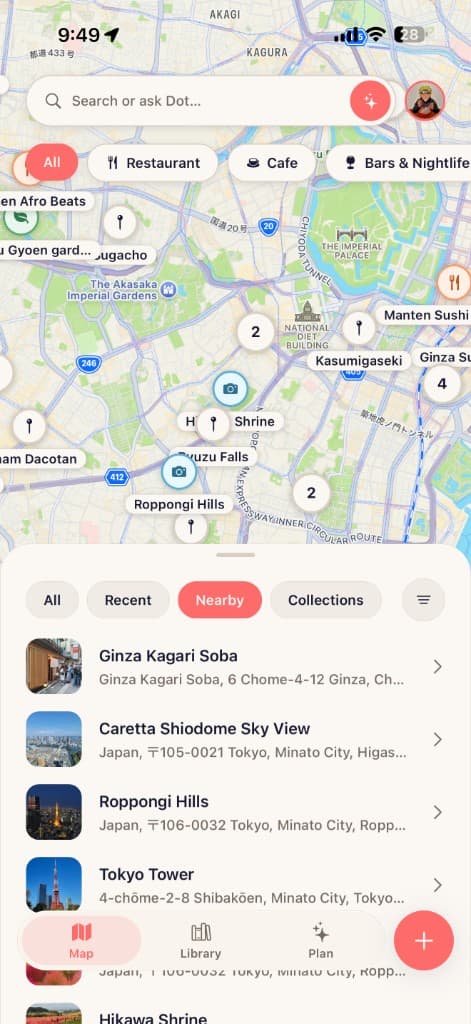
A restaurant in a TikTok save. A hotel in an Instagram DM. A cafe in a group chat. A viewpoint pinned in Google Maps. someday pulls them into one place. And unlike a folder, it doesn't let them be forgotten.
TikTok reel
The ramen spot you saw once
Instagram DM
Hotel your friend sent late at night
Screenshot
Cafe still in your camera roll
Map pin
Pinned with no context attached
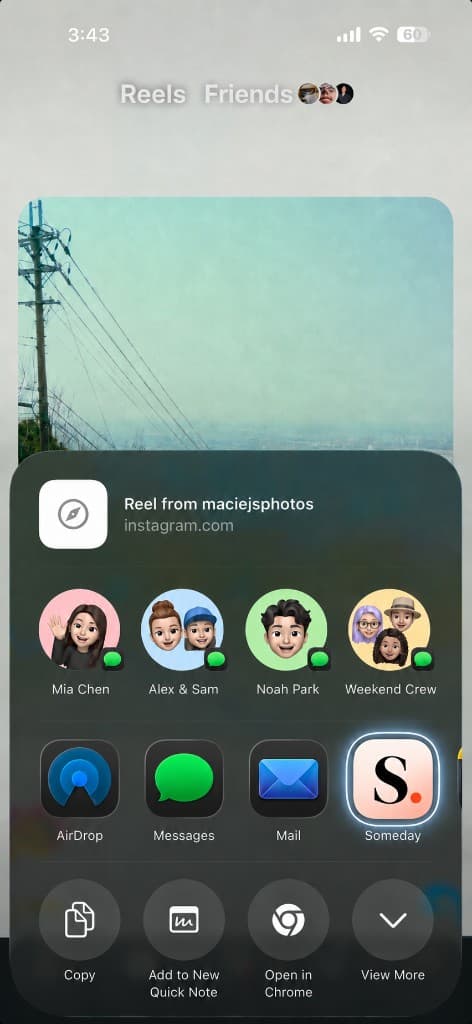
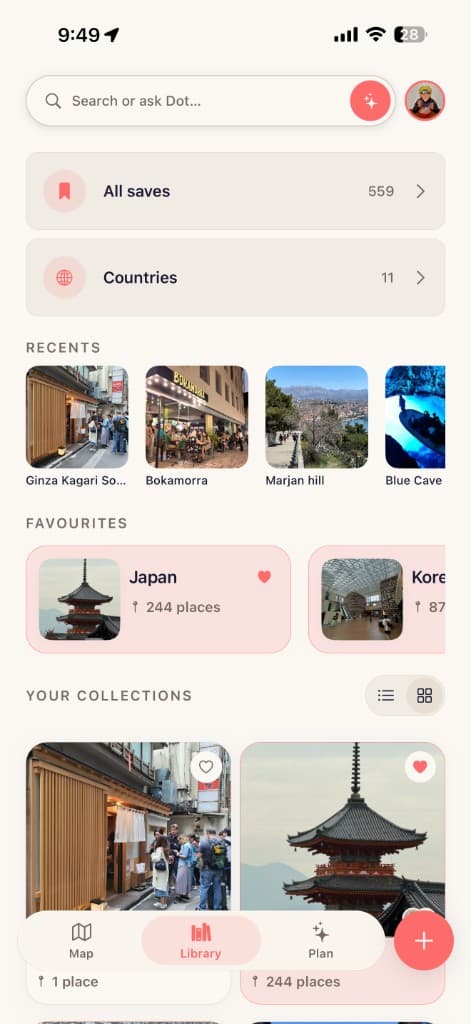
Share straight from social, then organise everything into collections that are ready the moment you are.
Send reels and posts straight into someday from the iOS share sheet while you are still scrolling.
Group saved places into trip folders, date-night collections, and neighbourhood gems. Organised isn't the goal, visited is. Collections are just how your plans stay ready.
Ask Dot
Generic AI pulls from everywhere and sounds like everyone. Dot starts with the places you've already saved: your notes, your tags, why each one caught your eye. It treats every save as something you meant. Tighten a shortlist, plan a weekend, or ask what's worth doing tonight, and Dot answers from your own taste, not the internet's.
Your saves are the starting point. Ask what's worth visiting near home, turn a collection into a plan for Saturday, or find new spots that feel unmistakably you. Not just for trips. Tuesday night counts, too.
Trips
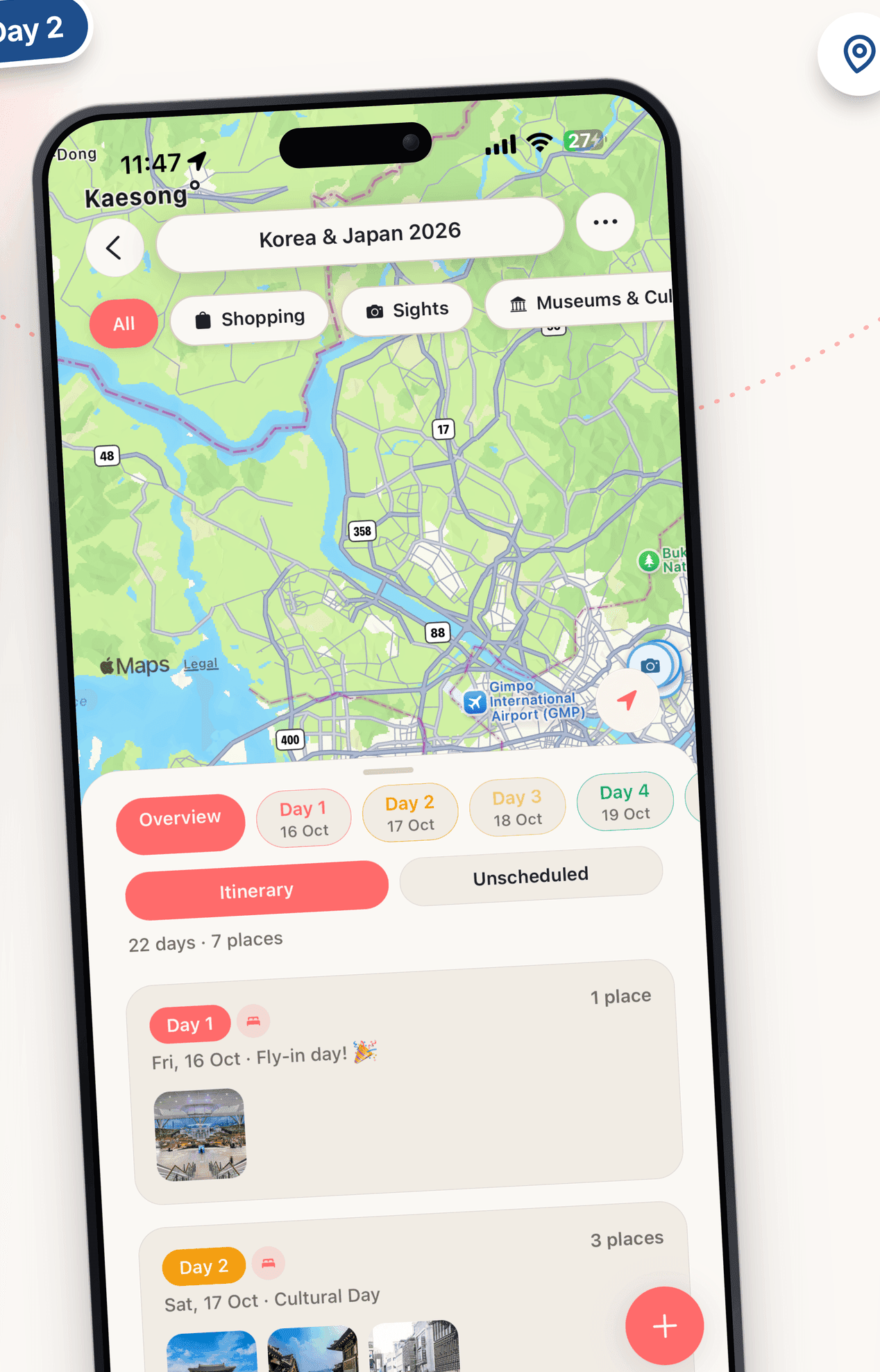
When a trip comes together, your saves are the head start. Pull places into days, add flights, stays and bookings alongside them, and see the whole plan on one map with the context still attached.
Schedule places into mornings, afternoons and evenings, give each day its own theme, and park the maybes in Unscheduled until they find their slot.
Invite your travel partner into the trip and build it side by side, with every place, note, and day in one plan instead of scattered across a group chat.
How it works
Four calm steps between seeing a place online and standing in it.
01
Create a collection and import TikToks, Instagram posts, reels and map links as you find them.
The save takes one tap. The promise starts there.
02
Add who sent it, what to order, when to go, or why it matters.
A saved place is better when the context stays intact.
03
You don't have to remember to look. When a Friday night frees up, or the sun comes out after a week of rain, someday brings the right place back at the right moment.
The difference between saved and forgotten.
04
Leave reviews, upload photos and capture your feelings after you've visited.
Close the loop, and make it easy for whoever goes next.
Who someday is for
From the group chat
Always has a restaurant collection ready when the group cannot decide.

Shared reel
Sending a million reels and DMs back and forth before the trip becomes real.

Pinned, no notes
Living with four hundred map pins and no context to tell them apart.

Save for later
Saving cafes, shops, and hidden gems to come back to later.
Guides
Start with why Instagram saved posts stall as plans, then the exact share-sheet steps for Reels and TikTok — into collections you can open when it is time to go.
Instagram saves work for rediscovery, not planning. Why restaurants and trips get stuck in Saved — and the 3-step habit that fixes it.
Read articleStep-by-step: save restaurants and travel spots from Instagram Reels into organised place collections on iPhone with notes that stick.
Read articleSave restaurants, cafes, and trip spots from TikTok into organised place collections on iPhone — share sheet steps and note tips.
Read articleFAQ
Download someday on the App Store to save places from TikTok, Instagram, DMs and screenshots, and let them find their way back to you. Stop saving them for someday.